At Taurus, you can use Level 1 market data or purchase a Level 2 subscription, depending on the type of information you need for your trading.
What Is Level 1 Market Data?
Level 1 market data provides the basic information required to follow the market and trade in real time.
This includes:
Real-time bid and ask prices.
Last traded price.
Trading volume.
Basic market depth visibility.
Level 1 data is free for all available exchanges: CME, CBOT, COMEX, and NYMEX.
CME
Level 1 data for CME instruments is activated automatically when your account is created. You do not need to take any additional action.
CBOT, COMEX, and NYMEX
Level 1 data for CBOT, COMEX, and NYMEX is also free, but you must activate it manually from your Dashboard.
You do not need to submit a request to the Support Team. Once activated, real-time market data for these exchanges will be available on the Volumetrica platform.
What Is Level 2 Market Data?
Level 2 data, also known as market depth data, provides a more complete view of the available market liquidity.
Unlike Level 1, which primarily displays the best bid and ask prices, Level 2 allows you to view additional depth in the order book.
This can be especially useful for:
Analyzing market liquidity in greater detail.
Viewing available orders at different price levels.
Making entry and exit decisions with more information.
Applying scalping or short-term trading strategies based on market depth.
Level 2 data is not free and must always be purchased from the Dashboard.
The subscription is linked to the trader. Therefore, a single Level 2 subscription will apply to all active accounts associated with the same email address, including Evaluation Accounts and Profit Accounts.
To activate any market data subscription, you must have at least one active account.
Below, we explain how to complete the activation process.
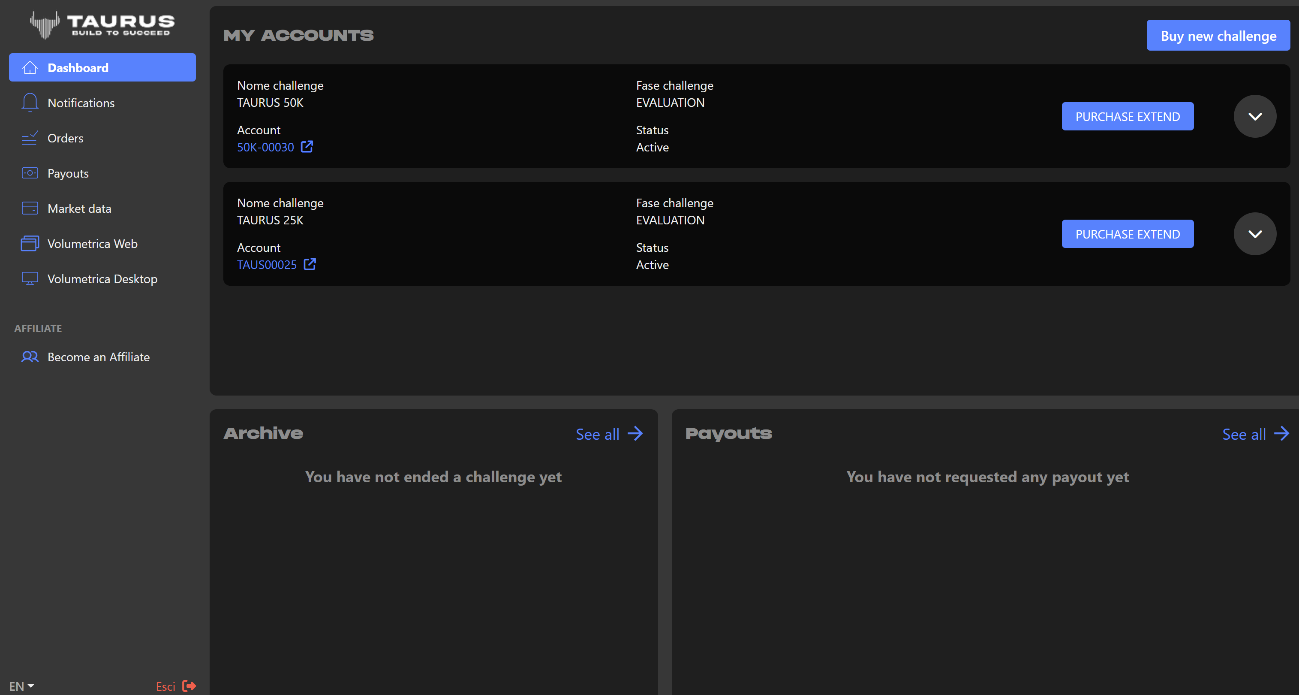
Log in to the Taurus website using your email address and password.
Once you have logged in, you will access your Dashboard. From there, you can manage and activate your market data subscriptions.
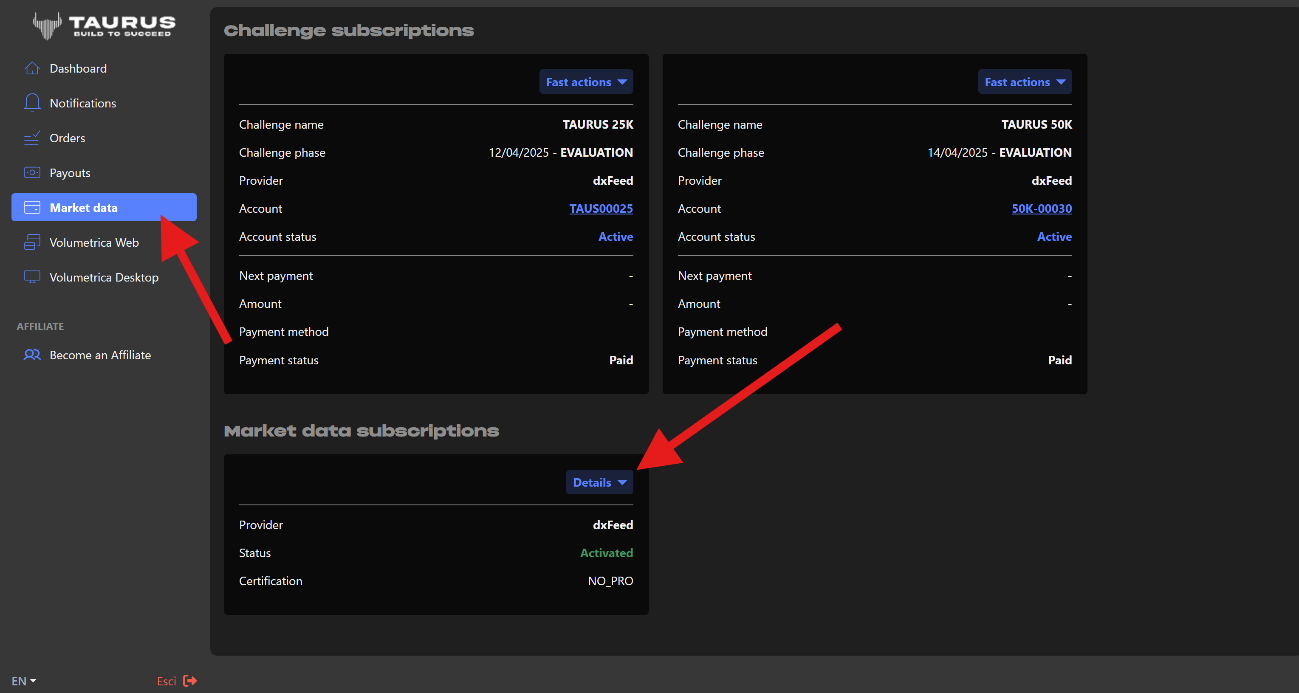
From the menu located on the left side of the screen, select Market Data.
Then click Market Data Subscriptions.
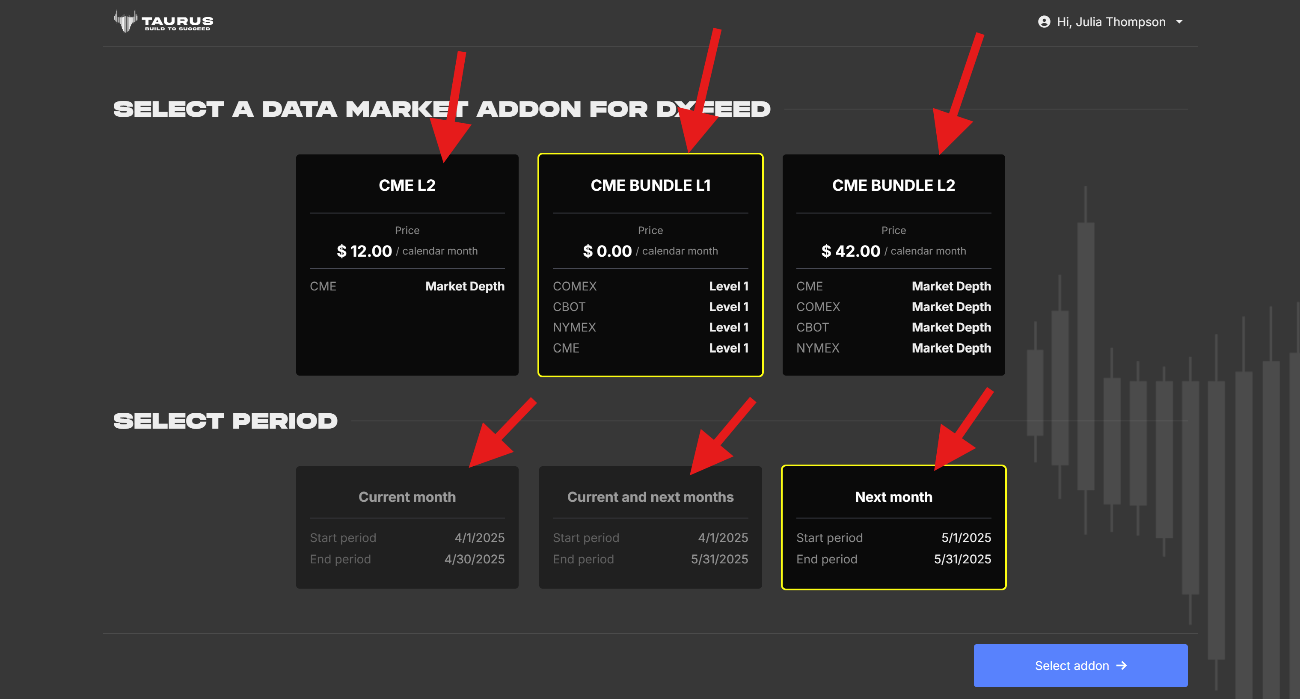
In this section, you will find the available options to activate Level 1 data or purchase Level 2 data.
Activating Level 1 Market Data
Level 1 data is free for CME, CBOT, COMEX, and NYMEX.
Remember that CME is activated automatically when your account is created. For CBOT, COMEX, and NYMEX, you must manually select the exchanges you wish to activate.
Next, select the corresponding period. Depending on the options available on the Dashboard, you may choose:
The current month only.
The current month and the following month.
The following month only.
Although the activation is free, you must complete the process from the Dashboard to enable the exchanges that are not activated automatically.
Purchasing Level 2 Market Data
The process for Level 2 is similar, but it is a paid subscription.
You can choose between:
Level 2 data for CME only.
The complete Level 2 package for CME, CBOT, COMEX, and NYMEX.
You must then select the period you wish to purchase.
Level 2 subscriptions are based on calendar months, not on 30-day periods beginning on the purchase date.
For example, if you purchase Level 2 data on March 15, the subscription will expire on March 31. It will not remain active until April 15.
For this reason, to receive access for the entire month and avoid interruptions, we recommend purchasing or renewing the subscription at the beginning of each month.
Level 2 subscriptions do not renew automatically. To continue using the data, you must manually purchase it again from your Dashboard for the following period.
This gives you direct control over your subscription:
No automatic deductions are made.
There are no unexpected renewals.
The price is clearly displayed before you confirm the payment.
You decide each month whether you wish to continue using the service.
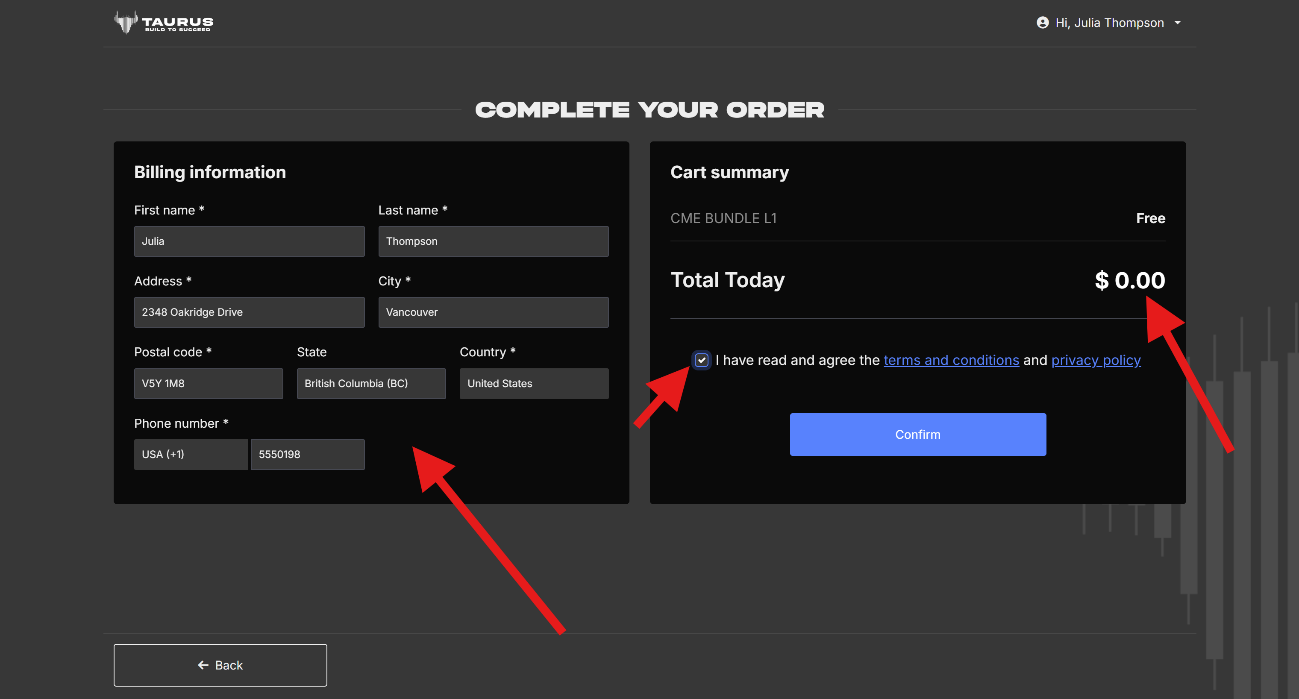
After selecting the exchange, the market data level, and the corresponding period, you must complete your billing information.
For Level 1 data, the invoice will display a total amount of $0, since the activation is completely free.
For Level 2 data, you must pay the amount displayed on the screen. The price will depend on the option and exchanges selected.
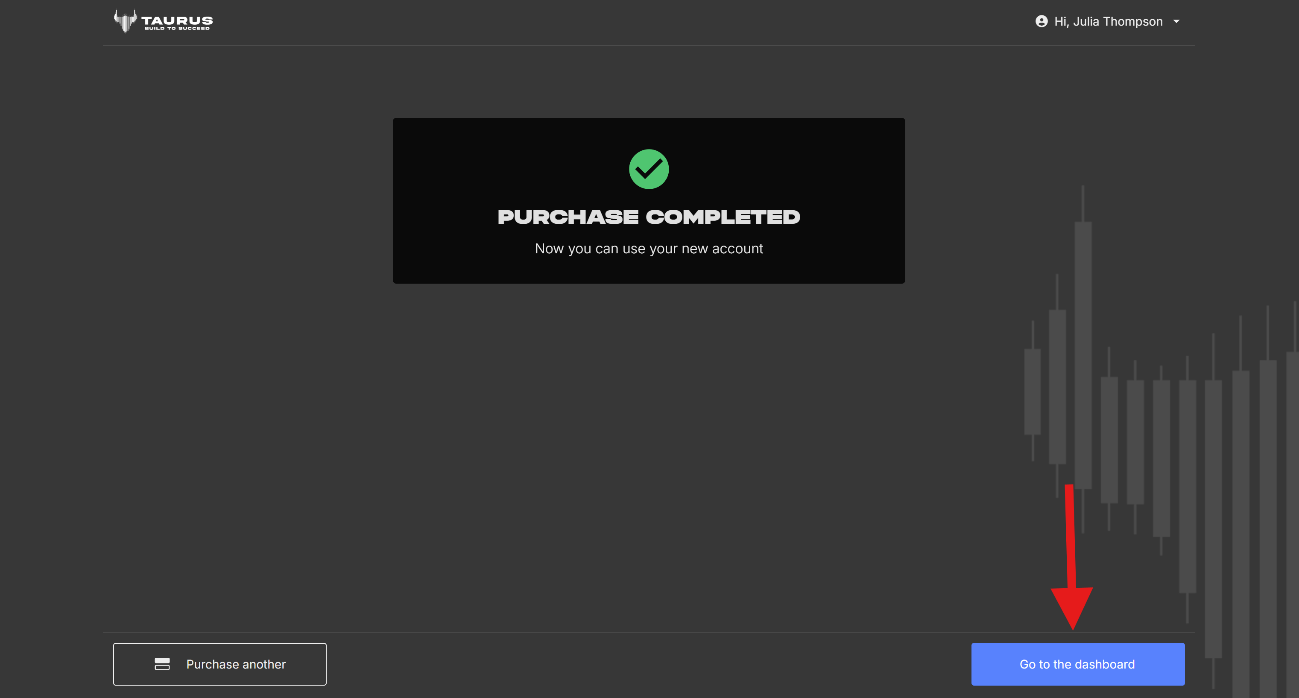
To finish, accept the terms and conditions and confirm the transaction.
Once the process has been completed, the selected market data will be enabled for the accounts associated with your email address.
Important Information
Level 1 data for CME is activated automatically.
Level 1 data for CBOT, COMEX, and NYMEX is free, but it must be activated from the Dashboard.
You do not need to contact the Support Team to activate Level 1 data.
A single Level 2 subscription applies to all active accounts associated with the same email address.
Subscriptions are based on calendar months.
Purchasing the subscription in the middle of the month does not extend its expiration date to the same day of the following month.
Level 2 subscriptions do not renew automatically.
To maintain uninterrupted access, you must purchase the subscription again for the following period.
Taurus allows you to choose between free Level 1 access and advanced Level 2 information according to your trading needs, while always maintaining direct control over your subscriptions.
Was this article helpful?
That’s Great!
Thank you for your feedback
Sorry! We couldn't be helpful
Thank you for your feedback
Feedback sent
We appreciate your effort and will try to fix the article