Managing contract rollovers is an important part of futures trading. Below you will find a clear explanation of how rollovers work in Volumetrica, separated by platform, so you can easily follow the correct steps.
Important Responsibility Notice
Please note that the trader is fully responsible for managing contract rollovers, regardless of the platform used. Taurus is not responsible for trading activity, execution, or results if the rollover is not completed correctly or on time.
Volumetrica Desktop (DeepChart)
In the DeepChart desktop version, the contract rollover is done manually.
To perform the rollover:
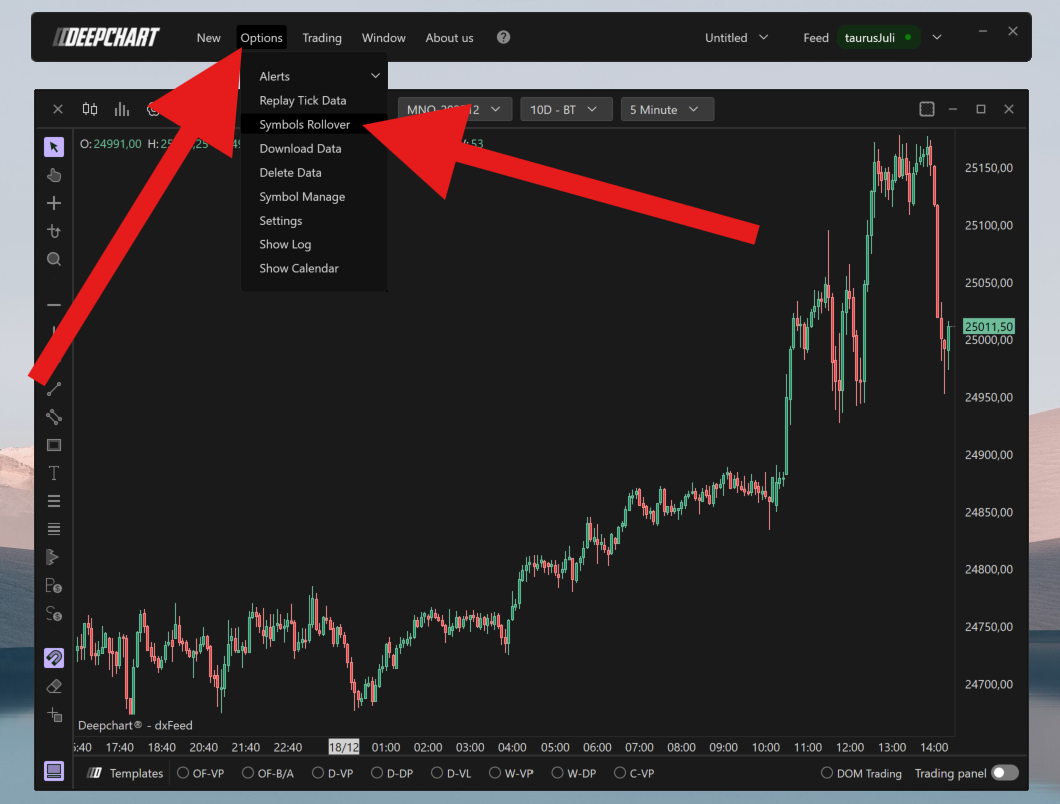
Open the Control Panel.
Go to Options.
Select Symbol Rollover.
Manually choose and confirm the new active contract, as shown in the image.
On the desktop version, the platform will not rollover contracts automatically. The trader must complete this process manually each time a contract changes.
Volumetrica Web Version
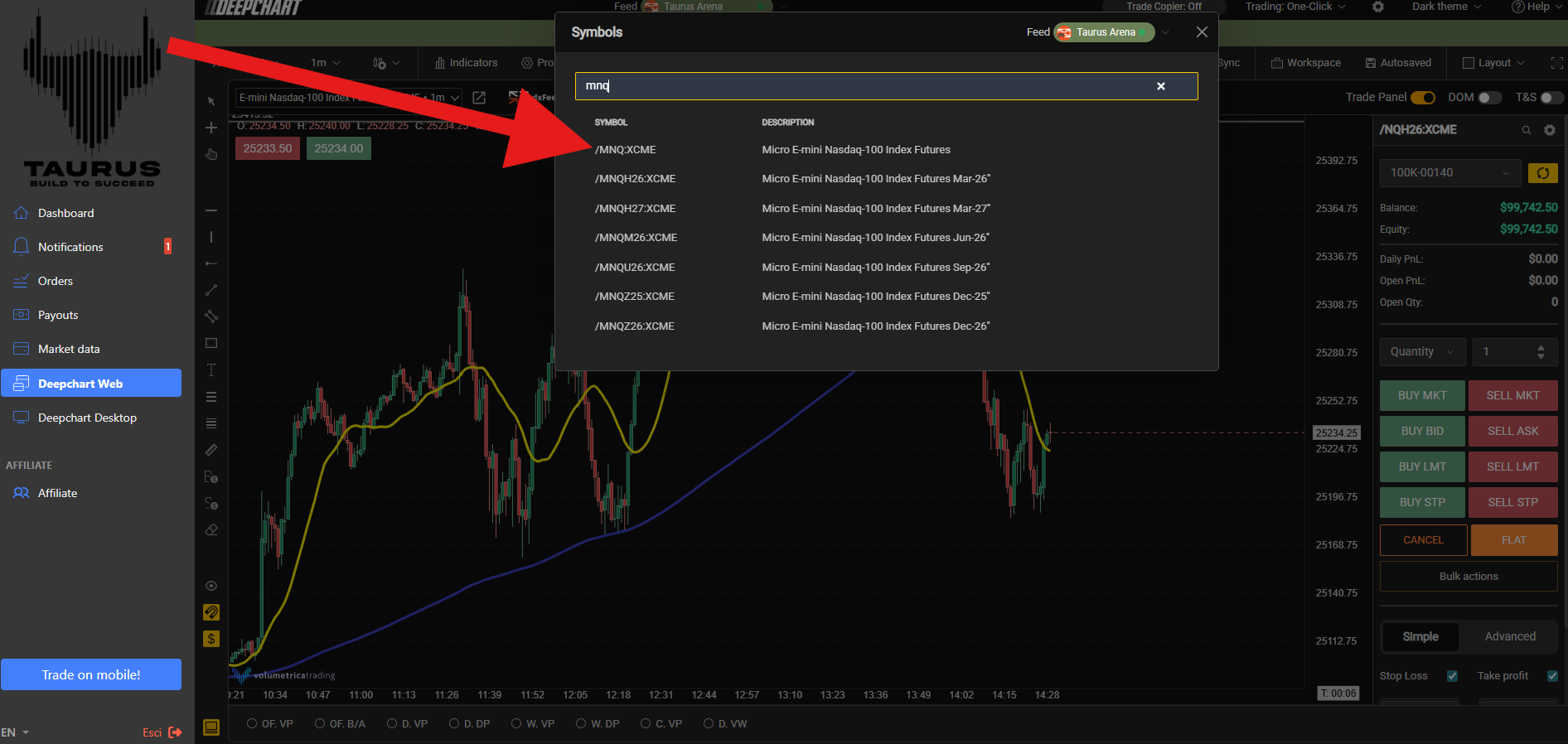
In the web version of Volumetrica, you have two available options:
Option 1: Automatic Rollover
You can enable automatic rollover by selecting the first option, which is indicated with an arrow in the image. This allows the platform to automatically switch to the active contract when a rollover occurs.
Option 2: Manual Rollover
You can also choose to manage the rollover manually by selecting the current active contract yourself.
Both options are available, and the choice depends on your personal trading preference.
Was this article helpful?
That’s Great!
Thank you for your feedback
Sorry! We couldn't be helpful
Thank you for your feedback
Feedback sent
We appreciate your effort and will try to fix the article