If you experience a technical issue with the trading platform, you must first contact the Volumetrica support team directly through Volumetrica Web, which you can access from your Taurus Dashboard.
Technical issues related to charts, order execution, DOM display, connectivity, or platform errors must be reviewed by Volumetrica’s technical team.
In exceptional cases, Taurus may review the situation only after Volumetrica has confirmed that the issue resulted from a technical failure on their platform. Based on this confirmation and the details of the case, Taurus will assess whether a replacement account or another appropriate action is necessary.
How to access the Volumetrica Live Chat
Log in to your Taurus Dashboard.
Go to the Volumetrica Web section and open the platform.
Click the Help button in the upper-right corner.
Select the Live Chat option to contact the Volumetrica support team directly.
Their technical team will assist you with any questions or issues related to the trading platform.
Support hours
Volumetrica’s technical support team is available Monday through Friday, from 08:30 to 18:30 CET.
Outside these hours, you can still leave a message. The support team will respond as soon as they are back online.

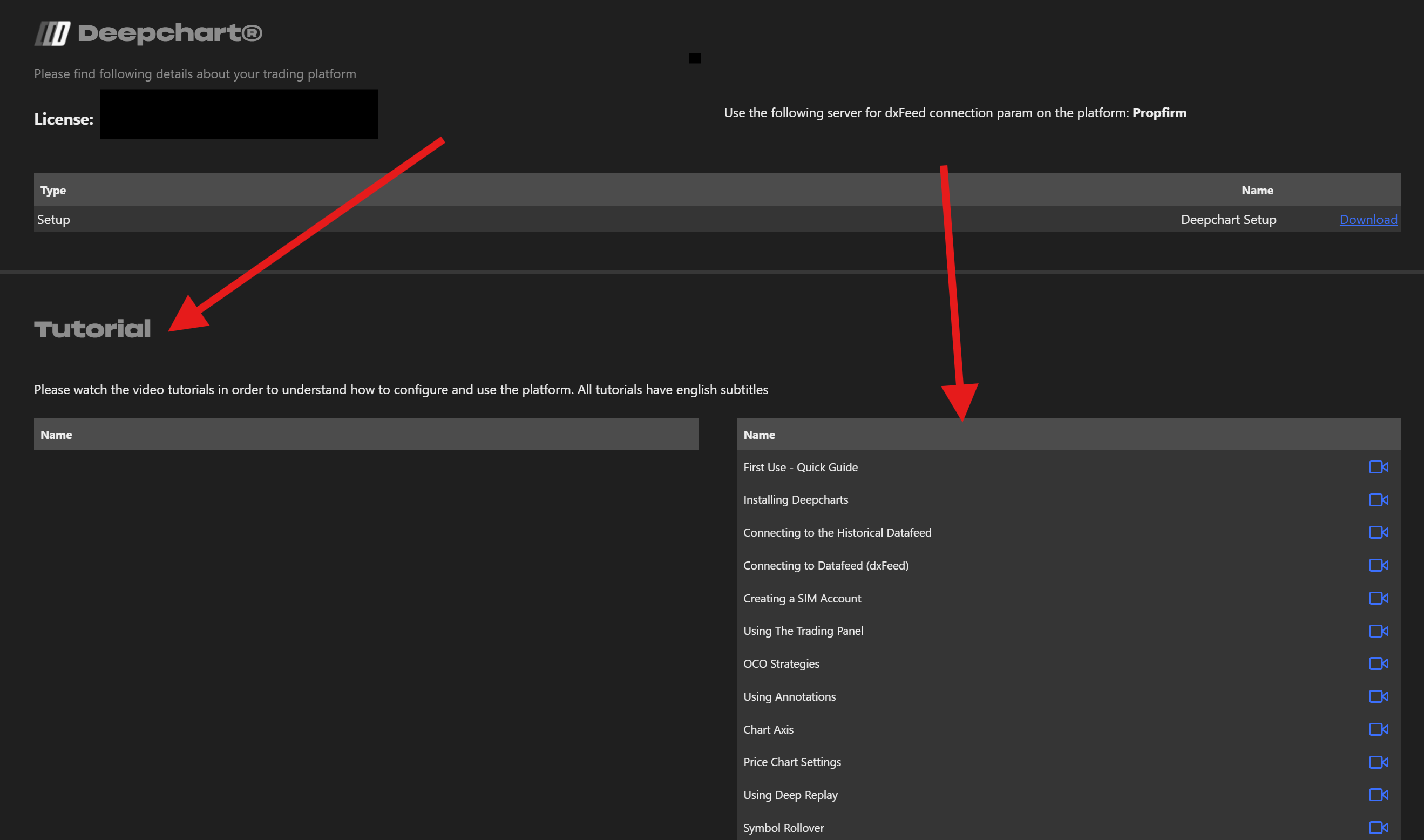
How to access Volumetrica tutorials
To watch tutorials about the platform:
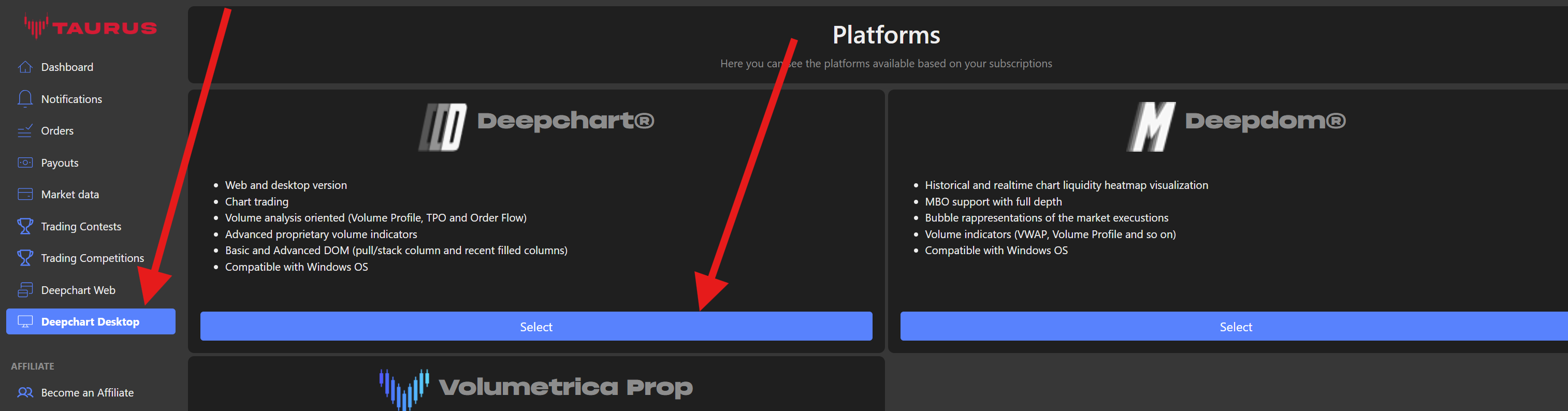
Log in to your Taurus Dashboard.
Go to the Volumetrica Desktop section.
Scroll to the bottom of the page, where you will find several tutorials explaining how the platform works and how to use its features.
Was this article helpful?
That’s Great!
Thank you for your feedback
Sorry! We couldn't be helpful
Thank you for your feedback
Feedback sent
We appreciate your effort and will try to fix the article